
 Web Apps
  Mobile Apps
  Enterprise Software
  Cloud Apps
  MVP Development
  UI/UX Design
  Shopify
  Business Intelligence
  Data Analytics
  AI
AI  Claude Code
  Legacy Modernization
  IT Consulting













You really have to try hard to work in tech and never hear about Python. One can encounter it everywhere, whether in quick scripts, machine learning, web backends, or even mobile tools. But to be honest, is Python good for app development? Can we actually use it to power modern production-ready applications?
If you are looking for the easy answer, it is yes. But the language is in no way an ultimate solution, so do not treat it like that. However, when used with proper frameworks and architecture, it may be a solid choice.
So, if you have ever considered using Python for app development, then this article is for you. We are going to explore its strengths and weaknesses as well as the technical issues you may face if you choose this language for your enterprise application.
What App Development Means in 2026
When we speak about app development in 2026, we are no longer referring to a standalone mobile binary downloaded from an application store. The definition of an app has suddenly expanded. Today, an application includes web apps, mobile apps, desktop clients, AI-powered assistants, internal business applications, and cloud-native microservices.
Python becomes the ultimate glue language in this entire stack. You could use Django or FastAPI for a powerful web back-end, BeeWare to develop a native-feeling mobile application, Tkinter for an internal desktop application, and specialized serverless functions to perform machine learning workloads. It is rarely a question of “can I build a mobile app with it?” but, rather “how does Python fit into my company’s overall architecture and roadmap?”
When we say “Python for app development” in this guide, we mean all of these layers — not just the mobile shell.

If you want to know if Python is a good match for your app project, we are here to help.
Why Choose Python for App Development?
Reason #1. Python is unmatched for rapid prototyping.
If speed to market matters (and let’s be honest, when doesn’t it?), Python gives you a head start. Its clean syntax and minimal boilerplate make it ideal for rapidly building out app logic and testing features.
For startups building MVPs or teams validating new features, Python app development can be a major win. Instead of getting bogged down in verbose syntax or complex configuration, you get to focus on actual functionality.
Take Instagram, for example. Its backend runs on Python, and the team used the language to quickly scale internal tools during rapid growth phases. While the mobile frontend isn’t Python-based, the speed Python offered on the backend helped keep development cycles tight.
Reason #2. Cross-platform tools like Kivy and BeeWare make Python mobile-ready.
Python isn’t a native language for Android or iOS, and no one should pretend it is. But with tools like Kivy and BeeWare, developers can still create cross-platform mobile apps using Python.
Kivy lets you build multitouch applications with a natural UI across desktop and mobile. It’s not the prettiest out of the box, and it won’t match Swift or Kotlin in performance, but it works. For internal tools, hobby projects, or educational apps, it’s more than capable.
BeeWare takes a different approach. It allows you to write your app in Python and then compile it into a native iOS or Android app. Python for app development for such purposes is still maturing, but it’s promising, especially for teams that already use Python across the stack.
When Python mobile makes sense:
- Simple UIs or MVPs
- Cross-platform internal tools
- Apps tightly integrated with Python-based backends or AI/ML pipelines

Python Mobile Frameworks Compared: Kivy, BeeWare, Chaquopy, PySide
To give you a landscape view of the ecosystem, here is how the top Python mobile frameworks stack up against each other today.
| Framework / Plugin | Platforms (2026) | Performance Profile | Native API Access | Learning Curve | Best Suited For |
|---|---|---|---|---|---|
| Kivy | Android, iOS, Windows, macOS, Linux | Good for GPU-heavy UIs, uses non-native widgets | Via Python APIs (Plyer), some platform gaps | Medium (custom UI language) | Custom UIs, games, internal tools |
| BeeWare | Android, iOS, Windows, macOS, Linux, Web | Uses native OS widgets, feels native to the user | Deep native access via Rubicon ObjC/Java | Easier, highly “Pythonic” | Business apps, MVPs sharing desktop/web code |
| Chaquopy | Android (via Java/Kotlin) | Python for logic, UI remains strictly native | Deep access through Android integration layers | Low for Android teams | Adding Python ML/logic to native Android apps |
| PySide Mobile | Android, iOS (via Qt tooling) | C++/Qt performance for UI, Python for logic | Qt abstractions over native APIs | Medium-high (requires Qt concepts) | Existing Qt shops, heavy desktop+mobile code sharing |
Approaches to Python App Development: Mobile, Web, Backend, and Internal Tools
How do you really create an application using Python? There are four major paths to development that you can take in a real-world scenario:
- Python as mobile layer (pure Python UI): Using Kivy or BeeWare to build an actual app shell and user interface. This makes sense for internal tools, prototypes, and data-heavy companion apps.
- Python as backend plus native frontend: Using Django, Flask, or FastAPI to create powerful backends that are consumed by Swift, Kotlin, React Native, or Flutter frontends.
- Python for cross-platform desktops apps: Using PyQt, Tkinter, or even Electron with a Python backend to build logic-heavy desktop clients
- Python for automation and AI modules: Integrating Python-based CLI tools, AI microservices, and administrative dashboards in your larger application ecosystem.

Reason #3: Python is built for AI, data, and logic-heavy applications.
Let’s say your app isn’t just a pretty front end. It crunches numbers, recommends content, or processes user data. This is where Python app development really shines.
With libraries like TensorFlow, PyTorch, scikit-learn, and pandas, Python is the gold standard for data science and machine learning.
Apps that use intelligent recommendations, behavioral modeling, or predictive analytics often rely on Python at the core. Consider Spotify’s song recommendations or Uber’s dynamic pricing systems. While their mobile apps are native, much of the decision-making logic runs through Python pipelines.
Use Python when:
- You need a strong backend brain behind the app.
- Your app is part of a larger data-driven system.
- You’re working with ML, NLP, or complex business logic.

Reason #4: Python simplifies backend development with frameworks like Django and Flask.
Not every mobile app is mobile-first. Many modern apps, including SaaS platforms and internal enterprise systems, are web-first or fully browser-based.
For those use cases, Python is an excellent backend choice. Django provides an efficient, scalable framework that handles routing, templating, ORM, and security out of the box. It’s used by giants like Pinterest and Mozilla.
For leaner, more flexible builds, Flask is a lightweight microframework that gives you control without the overhead.
Why this matters? If you’re building an app with a Python backend and a mobile/web frontend (using React, Vue, or Flutter), the backend language won’t limit your frontend options. And when it comes to managing user accounts, business logic, or content workflows, Python delivers.
How Python Fits in Modern App Architectures
To see how Python is used in strategic ways outside the UI, here are common integration patterns:
- Python backend + cross-platform frontend: REST or GraphQL APIs using Django/FastAPI and then consumed by a React Native or a Flutter client.
- Python microservices behind mobile apps: Isolating heavy workloads, such as billing, reporting, or recommendation engines, into Python microservices that are dedicated to these workloads and exposed via message queues.
- Python AI/ML modules built into apps: Python services containing TensorFlow or PyTorch models, which the mobile app communicates with via the help of an HTTP call or a gRPC call (used extensively by companies such as Spotify).
- Python in serverless roles: Using AWS Lambda or Google Cloud Functions to process push notifications, background tasks, and event data written in Python.
Reason #5: Python plays well with cloud platforms and APIs.
Python has first-class support on major cloud platforms like AWS, GCP, and Azure. It’s also the language of choice for many API-first services, including OpenAI, Stripe, and Twilio, all of which provide Python SDKs for rapid integration.
If your app relies on multiple APIs, serverless functions, or microservices, Python offers:
- Easy authentication handling
- Clean async support with asyncio and FastAPI
- Readable, testable integration code
In short, if your app’s strength is in orchestration, not UI flash, Python fits.
Reason #6: The ecosystem is mature and well-supported.
One of the biggest selling points of Python app development is its maturity. Python has been around for over three decades, and during that time it’s amassed one of the largest and most helpful developer communities on the internet.
This means:
- You have answers to your stackoverflow questions.
- You have libraries for nearly every niche.
- Security updates and versioning are handled responsibly.
Plus, the Python Package Index (PyPI) hosts over 500,000 packages. Whether you are looking to integrate Stripe payments, parse complex data, or implement ML, you’re rarely starting from scratch, which shortens development time and reduces bugs.
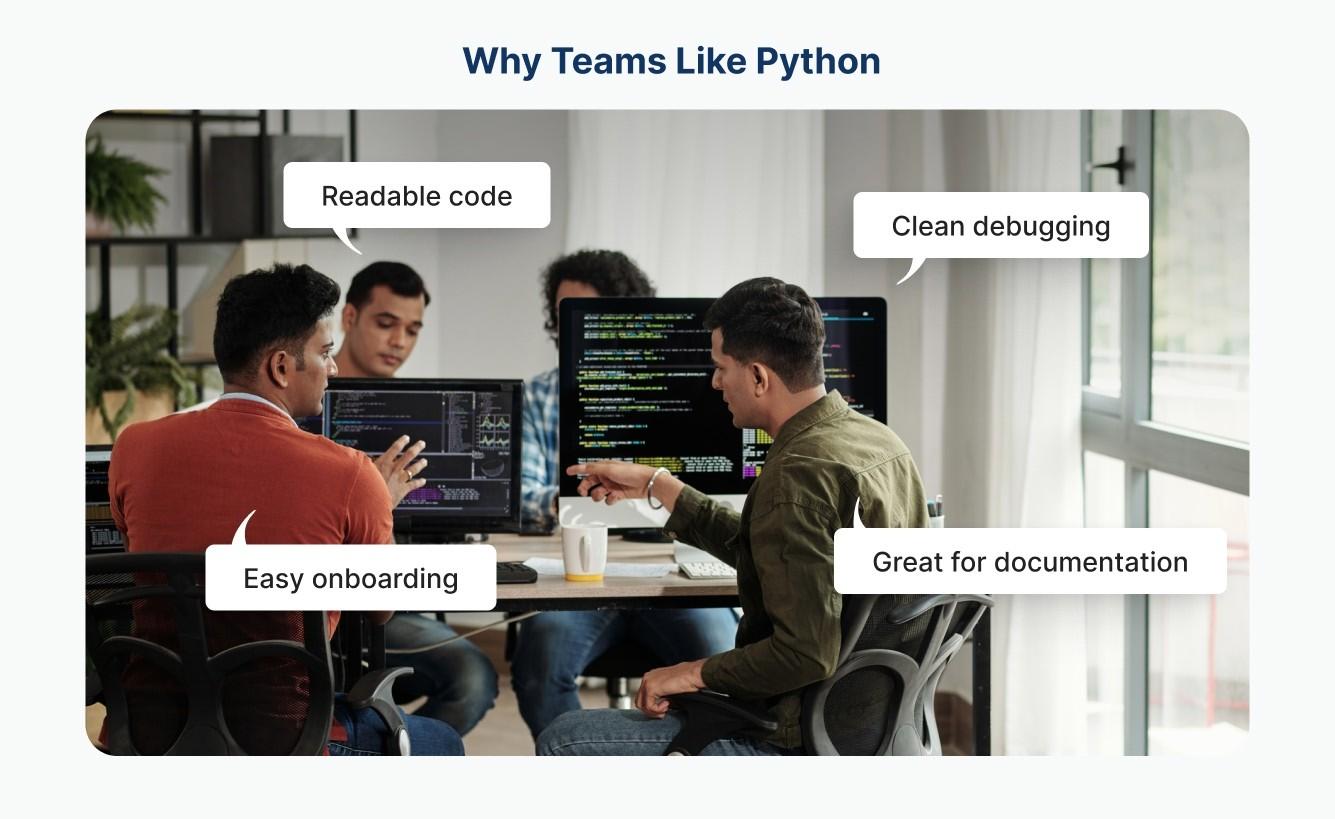
Reason #7: It’s ideal for teams who value readability and collaboration.
App development is rarely a solo effort. Code gets handed off, revisited, audited, and debugged. And Python’s readable syntax makes that easier, especially for teams that span designers, developers, analysts, and QA engineers.
While performance-intensive apps might favor languages like Rust or Swift, Python excels when human collaboration matters. Whether it’s onboarding a junior dev or debugging with a product owner, Python makes it easier to work together.
Technical Considerations in Python App Development
Balancing the benefits of Python for app development requires a practical engineering guide. Here is what technical leads need to know before committing to an app stack heavy in Python.
Performance Considerations and Optimization Practices
Python is an interpreted language with the Global Interpreter Lock (GIL), which means it is inherently slower than compiled languages such as Swift, Kotlin, or Rust. Python in its pure form may have issues for CPU-intensive or graphic-intensive mobile apps. However, there are ways to optimize Python apps to ensure maximum performance, size, and responsiveness by applying a few important engineering strategies:
- Use Cython or Rust extensions: For CPU-critical bottlenecks, you do not have to rewrite your entire app. And you can compile your heavy-lifting modules using Cython or Rust (with integration tools like PyO3) to get C-level execution speed with Python as the accessible glue.
- Offload heavy logic to backend services: Maintain a mobile shell as thin as possible. Instead of making your user’s device run some complex data processing, heavy calculations, or machine learning models, offload these tasks to your Python-powered backend microservices or serverless functions.
- Use PyPy or Nuitka: If you are looking for an uncompromising performance boost, especially on backend or desktop environments, then consider replacing the regular CPython with PyPy, which is a Just-In-Time (JIT) compiler capable of boosting the performance of long-running processes drastically. If your goal is to compile Python down to highly optimized, standalone C executables, then Nuitka is a great choice that improves execution speed as well as protects your source code.
- Optimize packaging: Be aware of packaging overhead; tools such as BeeWare’s Briefcase and Kivy’s build tools embed the Python interpreter directly into your app, at a cost to both the binary size and start-up time. To reduce this, make sure to carefully rip out the unnecessary modules from the standard library and use the specific compression and optimization flags inside Briefcase or Buildozer to keep your app footprint lean.
Accessing Native Device Functionality Using Python
A common issue is whether Python apps can easily access hardware such as cameras, GPS, sensors, and native OS APIs. The answer is yes, but the method depends greatly on your framework of choice.
- Native bridges in Kivy: Kivy deals with hardware integration via Plyer, a library that provides platform-independent Python wrappers for native APIs. It enables you to trigger the camera, read accelerometer data, or send push notifications in pure Python. However, it is an abstraction layer, which means that you only get access to the features that are explicitly supported by Plyer.
- BeeWare Rubicon-ObjC and VOC/Rubicon-Java: BeeWare is more direct. For iOS, it uses a tool called Rubicon-ObjC to interface between Python and Objective-C, allowing you to call iOS native APIs directly from your Python code. For Android, while it historically used VOC to compile Python to bytecode in Java, modern iterations are based on Rubicon-Java in order to obtain direct access to APIs. This means if there is a native API on the device, theoretically BeeWare can talk to it without having to pre-build a wrapper for it.
Limitations and Workarounds
Although these bridges work very well for standard, everyday features, they are not magic. Accessing the absolutely latest in OS functionality, like the ARKit framework, or using highly specialized camera controls will often expose missing wrapper methods or performance bottlenecks in the bridge. In these cases, the way around is to write your own native modules (in Swift or Kotlin) and explicitly bind them to your Python logic, which makes development appreciably more complex.
When Hybrid Approaches Are Better
If the killing value of your app is deep and complex hardware integration or complex sensor fusion, then a pure Python mobile shell will probably hold you back. In those cases, a hybrid solution is ideal: develop the UI and hardware-level code in a native language (Swift or Kotlin), and strictly integrate Python as a background engine (using tools like Chaquopy on Android) to process the data or implement the AI logic.
Testing, Packaging, and CI/CD for Python-Based Apps
Python app development requires a solid deployment pipeline.
- Unit Testing: Use pytest to test your core business logic, mocking external APIs and device features.
- UI Testing: Leverage Kivy test harnesses or BeeWare’s tooling to automate interface checks.
- Packaging: Use Kivy’s buildozer or BeeWare’s Briefcase to create App Store and Google Play-ready installers.
- CI/CD: Utilize GitHub Actions or GitLab CI to automatically run linters, build Python packages, and compile platform-specific app bundles upon every commit.
When Not to Use Python for App Development
Let’s be real: Python is not a silver bullet. And claiming it’s the best for development of all mobile apps would be misleading.
Avoid using Python when:
- You need high-performance graphics or animation (e.g., 3D games or video editing apps);
- You want pixel-perfect native UI on iOS or Android;
- You require access to the latest mobile OS features (widgets, ARKit, etc.);
- App size and performance are non-negotiable.
In these cases, go native (Swift for iOS, Kotlin for Android) or use Flutter or React Native for cross-platform builds.

Additional Limitations to Consider
- UI Component Ecosystem: Python does not have the massive ecosystem of polished and drop-in mobile UI widgets that the ecosystems of Flutter and React Native have.
- OS Feature Lag: Python frameworks tend to lag slightly behind official native releases when it comes to supporting brand-new features of the operating system or advanced user experience paradigms.
- App Store Compliance: Although perfectly doable, getting past App Store and Google Play reviews with highly customized Python build pipelines can sometimes present authority friction as compared to standard Apple/Google tooling.
How Python for App Development Fits Business Contexts
Your selection of a tech stack must be relevant to your business stage. Here is how Python serves different environments:
Startups and Early-Stage Products
Python has unsurpassed speed when it comes to prototyping. Startups can build MVPs quickly, pivot easily, and have access to a huge pool of talent of generalist developers that are capable of doing everything from backend APIs to automation scripts.
SMBs and Growing Companies
As companies grow, maintainability starts to play a crucial role. Python’s easy-to-read syntax is good for onboarding. SMBs have the advantage of getting maximum ROI by sharing core business logic between their web platforms, internal admin tools, and mobile-adjacent services.
Enterprises and Complex Ecosystems
For large organizations, Python is a phenomenal integration tool. It has decent bindings for C/C++ and Java interop, making it ideal for wiring up into some ancient mainframe systems. Enterprises are heavily inclined to use Python for analytics, internal operator dashboards, and artificial intelligence microservices, even if their flagship consumer mobile apps are written in native Swift and Kotlin.
Real Examples of Successful Python App Development
Theory is great, but taking a look at real-life implementations proves Python’s power at scale. While many of these examples use native code for their mobile UI, the critical engine that makes them work is Python:
- Instagram (backend): Instagram famously is based on one of the largest deployments of the Django web framework in the world. By being readable and having as little boilerplate as possible, Python enabled their engineering team to ensure that they could keep up a rapid pace of innovation and scale their infrastructure seamlessly in their hyper-growth period.
- Dropbox (desktop client): In its early days, Dropbox developed their extremely successful cross-platform desktop client with Python almost entirely. This way, the company only had to share the same code across the three operating systems — Windows, macOS and Linux — thus drastically cutting down on the initial development overhead.
- Reddit (backend): Reddit had a massive Python monolith as a backend that ran their core infrastructure for years — accounts, subreddits, posts, comments. While Reddit recently began migrating high-throughput, write-heavy endpoints to Go microservices to combat latency on a massive scale, Python served the purpose of being able to create the foundation of the backend that allowed it to grow into one of the most visited sites on the internet.
- Spotify (backend and data pipelines): Spotify makes huge use of Python for backend asynchronous services and huge data analytics workflows. The company built and open-sourced Luigi, a Python framework used to orchestrate thousands of batch processing jobs to power core features such as daily music recommendations, the Discover feature, and personalized radio.
- Industrial automation apps: In Industry 4.0 and smart manufacturing, Python is commonly used to create automation tools that extract and process data within legacy Manufacturing Execution Systems (MES). Python easily communicates with factory IoT sensors through protocols such as MQTT and is used extensively to control complex robotics workflows through the Robot Operating System (ROS).
- AI-driven mobile apps: Whereas user interfaces of modern AI apps are often created using native code or cross-platform applications, the intelligence behind these applications is developed using Python. Developers train robust machine learning models with Python-based frameworks and then compile optimized models, such as PyTorch Mobile or TensorFlow Lite, directly to all sorts of mobile devices to power offline capabilities such as facial recognition, NLP voice assistants, augmented reality, etc.
The Future of Python for App Development
Looking at the landscape in 2026, Python’s role in app development is only growing.
BeeWare continues to evolve and go beyond the foundational tooling to provide highly formalized iOS and Android packaging. We’re also seeing a lot of interest in running Python in WebAssembly (WASM) as a way to get Python-backed apps to run natively client-side, directly in the browser.
Furthermore, since apps are also becoming more AI-native, the UI shell is becoming thinner. The real worth of modern apps is the intelligence that is built behind them. Because of Python being the undisputed king of model training and serving, it will continue to be the primary brain powering cross-platform mobile experiences, edge computing, and IoT devices.
We invite you to to explore the language’s strong potential in our dedicated article on its future.

Is Python good for app development?
In many ways, absolutely. It’s flexible, readable, and powerful, especially when building data-driven apps, MVPs, web services, or intelligent backends. It’s not going to win awards for UI fluidity on mobile, but it can still play a meaningful role in your app’s architecture.
If your team already uses Python, or if your app relies heavily on AI, APIs, or web-first workflows, Python app development can be both practical and efficient. Just be honest about where it fits and where it doesn’t. Because the best apps aren’t just well-designed. They’re built on the right foundation for the problem they’re solving. And in the right hands, Python is a solid part of that foundation.
Frequently Asked Questions
Can I build mobile apps entirely in Python?
You can, but with caution. Python isn’t a native language for iOS or Android, so you’ll need frameworks like Kivy or BeeWare for cross-platform development. These tools are great for internal apps, MVPs, or data-heavy tools but may fall short for performance-intensive or highly polished consumer apps.
What are the best use cases of Python for app development?
Python shines most when used for:
- Backend development (with Django or Flask)
- AI/ML-powered features (via TensorFlow, PyTorch, etc.)
- Rapid prototyping or MVPs
- APIs and cloud orchestration
- Apps requiring heavy data processing or logic
Is Python suitable for high-performance or graphics-heavy apps?
No. In performance-intensive apps like 3D games or video processing tools, Python performs poorly. Better to use native languages like Swift or Kotlin, or engines like Unity or Unreal Engine.
Will Python limit my app’s access to device features?
Yes, in most cases. Python frameworks don’t offer full access to the latest native features (e.g., ARKit, widgets, native camera APIs). If your app needs cutting-edge hardware integration, go for native development.
Can I combine Python with other languages or frameworks in my app?
Absolutely. Many modern apps use Python for backend services (e.g., user management, AI, analytics) and pair it with React Native, Flutter, or native code for the frontend. This hybrid approach is both practical and powerful.
Is Python good for enterprise-level applications?
Yes, especially for enterprise tools, SaaS platforms, and data-driven systems. Python’s mature ecosystem, extensive libraries, and community support make it ideal for scalable enterprise solutions.
What are the alternatives if Python app development isn’t the right fit?
Depending on your goals:
- Use Swift (iOS) or Kotlin (Android) for native apps
- Use Flutter or React Native for high-quality cross-platform apps
- Choose Rust, Go, or Node.js for performance-focused backends
How does Python perform in terms of app size and speed?
Python apps tend to have larger footprints and slower performance compared to native apps. This trade-off is acceptable for internal tools, prototypes, and data-centric apps, but less so for polished consumer applications.
Is Python a good choice for startups?
Yes, particularly for building MVPs quickly and affordably. Python’s fast development cycle and readable codebase help small teams iterate and validate ideas faster — a big advantage in early-stage development.
How does Python compare to Flutter, React Native, and Kotlin/Swift?
Python is excellent for backend routing, data processing, and integration with AI. Flutter, React Native, Swift, and Kotlin also have a clearly superior edge when it comes to rendering polished, high-performance mobile user interfaces.
Can Python apps pass App Store and Google Play reviews?
Yes. Apps that have been created with Kivy and BeeWare are sent to the app stores on a regular basis. However, the packaging pipelines are less standardized than native stacks, and developers have to pay attention to the compliance guidelines.
How do I hire developers for Python-based mobile apps?
Look for strong Python backend or desktop engineers that are flexible and want to get into frameworks such as BeeWare. If highly polished mobile UX is critical, pair them with a dedicated mobile specialist.
Is Python suitable for IoT or embedded mobile devices?
Python is a perfect candidate when it comes to edge computing gateways and more power-based boards such as Raspberry Pi. For extremely limited microcontrollers, special versions such as MicroPython or C/C++ are preferred.
Can I reuse my existing Python code for a mobile app?
Often, yes. You can abstract your core business logic or algorithms into some shared modules and expose it to your mobile framework through BeeWare, Kivy or dedicated native bridges.